


For those of us who travel to various time zones and have looked up the use of the Linux App called "RDATE"...Beware installing this application if you have any security or location reporting concerns that might ever become exploited for pin-point 'localization', I posed this Question Off Line to my "Oracle at Delphi" Private Reasoning AI via Nomic's *GPT4ALL* and the response it gave me... was chilling:
Prompt:
Does the Linux Internet Time Setting app called "rdate" report the ip and location of the users operating this app in a bash terminal on Linux Mint back to any government surveillance agencies?
Response:
To determine whether the `rdate` command reports user IP and location back to any government surveillance agencies, we need to understand how `rdate` works. The `rdate` (remote date) utility is used to synchronize a computer's system clock with another host over the network.
Here’s a step-by-step breakdown of what happens when you use `rdate`:
1. **Command Execution**: When you run `rdate`, it sends an NTP (Network Time Protocol) request to a specified time server.
2. **NTP Request**: The client sends an NTP packet to the server, which includes information about the client's system clock and other details.
3. **Server Response**: The server responds with its current date and time.
To analyze whether `rdate` reports user IP and location back to any government surveillance agencies:
1. **NTP Server Communication**: By default, `rdate` uses public NTP servers like those provided by organizations such as Google (time.google.com), Time.NIST.gov, or others.
2. **Data Sent in Requests**: The data sent in the NTP request includes:
- Client's IP address
- Timestamp of when the client requested the time
3. **Surveillance Concerns**:
- While public NTP servers are designed to be used by anyone and do not typically collect or store user-specific information, there is always a small risk that such data could be intercepted.
- Government agencies might have access to certain network traffic if they monitor specific networks.
To mitigate potential risks:
- **Use Trusted Servers**: Use well-known public NTP servers like those listed above.
- **Anonymity Tools**: Consider using anonymizing tools or VPNs when accessing these services, especially in sensitive environments.
Given the nature of how `rdate` works and the data it sends, there is a small risk that user IP addresses could be intercepted by government surveillance agencies. However, this risk is generally considered low for public NTP servers used with standard configurations.
To verify if your specific network or ISP might monitor such traffic:
1. **Check Network Policies**: Consult your organization's IT policies regarding the use of `rdate` and other network tools.
2. **Use Anonymizing Tools**: Test using a VPN to see if the IP address changes when accessing NTP servers.
Here is an example command you can run in bash to synchronize your system clock with a public NTP server:
```bash
sudo rdate -s time.google.com
```
This will help ensure that your system's clock is synchronized accurately.
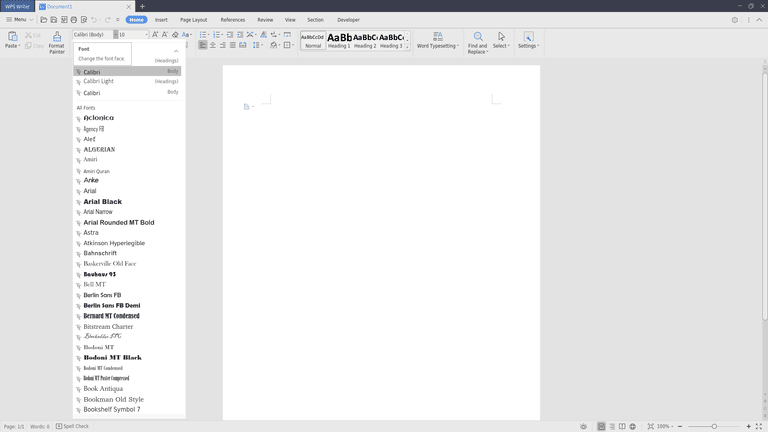
Another security problem can arise if one chooses to use WPS Office as a Subscription Based alternative to either Windows Office Applications or the LibreOffice Open Source Apps as per THIS problem:
From THIS WPS Office WIKI:
 en.wikipedia.org
"Since at least 2018, threat actor 'Blackwood' has used sophisticated methods to operate as an Adversary-in-the-Middle (AitM) to inject malware identified as 'NSPX30' into update mechanisms for WPS Office.
https://en.wikipedia.org/wiki/WPS_Office#cite_note-28
Once the malware is installed, it can affect many other programs, such as virus protection software 360 Safeguard, and messaging software such as Skype, Telegram, and Tencent QQ. Activity by this system was first noticed in 2023 by cybersecurity company ESET.
https://en.wikipedia.org/wiki/WPS_Office#cite_note-29
https://en.wikipedia.org/wiki/WPS_Office#cite_note-30
And FINALLY... A Bit of Good News in THIS Article for those still sitting on the Fence about DITCHING MS Windows in favor of the Open Source Linux Operating System called Aurora...a Branch from the Fedora Linux Tree:

 www.zdnet.com
Prompt:
Does the Linux Internet Time Setting app called "rdate" report the ip and location of the users operating this app in a bash terminal on Linux Mint back to any government surveillance agencies?
Response:
To determine whether the `rdate` command reports user IP and location back to any government surveillance agencies, we need to understand how `rdate` works. The `rdate` (remote date) utility is used to synchronize a computer's system clock with another host over the network.
Here’s a step-by-step breakdown of what happens when you use `rdate`:
1. **Command Execution**: When you run `rdate`, it sends an NTP (Network Time Protocol) request to a specified time server.
2. **NTP Request**: The client sends an NTP packet to the server, which includes information about the client's system clock and other details.
3. **Server Response**: The server responds with its current date and time.
To analyze whether `rdate` reports user IP and location back to any government surveillance agencies:
1. **NTP Server Communication**: By default, `rdate` uses public NTP servers like those provided by organizations such as Google (time.google.com), Time.NIST.gov, or others.
2. **Data Sent in Requests**: The data sent in the NTP request includes:
- Client's IP address
- Timestamp of when the client requested the time
3. **Surveillance Concerns**:
- While public NTP servers are designed to be used by anyone and do not typically collect or store user-specific information, there is always a small risk that such data could be intercepted.
- Government agencies might have access to certain network traffic if they monitor specific networks.
To mitigate potential risks:
- **Use Trusted Servers**: Use well-known public NTP servers like those listed above.
- **Anonymity Tools**: Consider using anonymizing tools or VPNs when accessing these services, especially in sensitive environments.
Given the nature of how `rdate` works and the data it sends, there is a small risk that user IP addresses could be intercepted by government surveillance agencies. However, this risk is generally considered low for public NTP servers used with standard configurations.
To verify if your specific network or ISP might monitor such traffic:
1. **Check Network Policies**: Consult your organization's IT policies regarding the use of `rdate` and other network tools.
2. **Use Anonymizing Tools**: Test using a VPN to see if the IP address changes when accessing NTP servers.
Here is an example command you can run in bash to synchronize your system clock with a public NTP server:
```bash
sudo rdate -s time.google.com
```
This will help ensure that your system's clock is synchronized accurately.
Another security problem can arise if one chooses to use WPS Office as a Subscription Based alternative to either Windows Office Applications or the LibreOffice Open Source Apps as per THIS problem:
From THIS WPS Office WIKI:
WPS Office - Wikipedia
"Since at least 2018, threat actor 'Blackwood' has used sophisticated methods to operate as an Adversary-in-the-Middle (AitM) to inject malware identified as 'NSPX30' into update mechanisms for WPS Office.
https://en.wikipedia.org/wiki/WPS_Office#cite_note-28
Once the malware is installed, it can affect many other programs, such as virus protection software 360 Safeguard, and messaging software such as Skype, Telegram, and Tencent QQ. Activity by this system was first noticed in 2023 by cybersecurity company ESET.
https://en.wikipedia.org/wiki/WPS_Office#cite_note-29
https://en.wikipedia.org/wiki/WPS_Office#cite_note-30
And FINALLY... A Bit of Good News in THIS Article for those still sitting on the Fence about DITCHING MS Windows in favor of the Open Source Linux Operating System called Aurora...a Branch from the Fedora Linux Tree:
This immutable Linux distro has a killer tool that sets it apart - and makes ditching Windows easy
With so many Linux distributions available, it takes something special to lure users away from Windows. Aurora checks all the boxes.
www.zdnet.com
Last edited: